
Tax Forms For 2016
W-2 Information
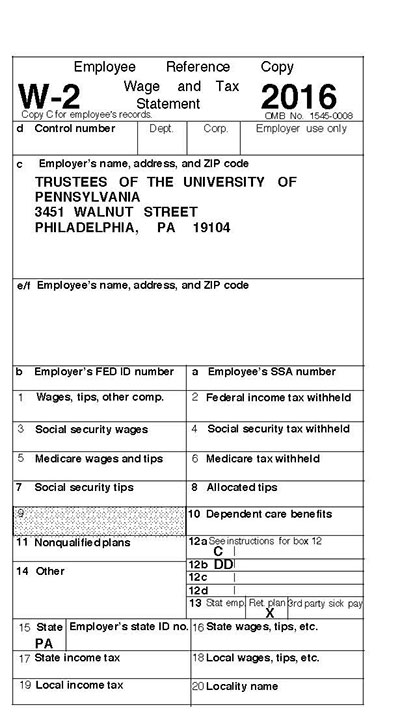 University of Pennsylvania is required by the Internal Revenue Service (IRS) to furnish all employees with a Form W-2 (Wage and Tax Statement) to report the employee’s compensation and tax withholding amounts for the calendar year, on or before January 31 of the following year.
If you did not “opt out” of printing your W-2 Form, then the W-2 Form was mailed to your permanent address as it appeared on the Payroll/Personnel File (Employee Database). If your permanent address was not completed on the Payroll/Personnel File, the W-2 Form was mailed to your current address.
Whether you chose to opt out or not, you can still access your W-2 form online by following the instructions listed below.
• Login to ADP W-2 Services from the following secure web site: https://medley.isc-seo.upenn.edu/penn_portal/u@penn.php
• Click on “My Tax Info” in the “My Pay” section at U@Penn
• Login with your PennKey and password
• Enter your birthdate and last four digits of your Social Security Number
• Click continue on the next screen
• Click on the link that says “Click here for W-2 information for tax years 2013 and later”
• This will take you to the ADP site
• First page will be the Dashboard
• On upper left hand corner, click “Pay”
• Choose year of tax statement you want to view
• Download statement
For a complete breakdown of each box represented on your W-2, please visit the Tax & International website at http://www.finance.upenn.edu/comptroller/Tax_International_Operations/Payroll_Tax/W-2_Breakdown.shtml
1042-S Information
Form 1042-S is created for anyone considered a nonresident alien for US tax purposes who received payments from Penn for fellowship/scholarship, independent contracted services or royalties as well as anyone with a benefit under a tax treaty with their resident country.
Form 1042-S is sent to the local address for any active employees or students and to the foreign address for anyone who has since left the University on or before March 15 of the following year. Form 1042-S is available online for individuals. Please contact the Tax Helpdesk for information.
Tax and International Operations can only provide information related to general tax questions. For assistance with the information reported on Forms W-2, 1042-S, and Non-service Fellowship letter, please contact the Tax Helpdesk at https://www.finance.upenn.edu:44301/apps/TaxHelpDesk/ or (215) 898-6291.
1095-C Information
As part of the Affordable Care Act, employers must provide employees eligible for health care coverage with the 1095-C form – an annual statement describing the insurance available to them. This year, benefits-eligible Penn employees will receive a 1095-C form in late January by mail. Your form will also be available online on January 31, 2017 in the My Pay section of the secure U@Penn portal at www.upenn.edu/u@penn Select “My 1095-C form” to access yours. If you receive a Form 1095-C from Penn, be sure to keep it for your records. You don’t need the Form 1095-C to file your taxes. Like last year, you’ll need to indicate on your tax return if you had qualifying health coverage.
If you have specific questions about the Form 1095-C, please call the Equifax Call center at 1-(855)-823-3728. Penn’s Employer name or code is 10476. For general questions about the Form 1095-C, visit the IRS website at www.IRS.gov or consult your tax advisor.
Tax Rate Changes for 2017
The federal withholding tax tables for 2017 can be found in the IRS Publication 15 at: http://www.irs.gov/pub/irs-pdf/p15.pdf Supplemental Pay Withholding: Withholding on payments less than $1 million in a calendar year remains at 25% for 2017 and withholding for payments in excess of $1 million in a calendar year remains at 39.6%.
The Social Security Administration (SSA) has announced that the 2017 social security wage base will be $127,200, an increase of $8,700 from 2016 wage base of $118,500. The FICA tax rate will remain the same at 6.2% for the employee portion to match with the employer portion. There is no limit to wages subject to the Medicare Tax; therefore, all covered wages are still subject to the 1.45% until an employee reaches $200,000. Then, an additional .9% to the employee Medicare Tax will be withheld for the employee portion only. The maximum Social Security Tax that employees and employers will each pay in 2017 is $7,886.40. This is an increase of $539.40 from the 2016 maximum tax of $7,347.00.
If you have questions or require additional information, please contact the Tax Helpdesk at https://www.finance.upenn.edu:44301/apps/TaxHelpDesk/ or (215) 898-6291.
—Victor Adams Supervisor, Tax & International Operations